Velvet Window
0:00 / 1:32
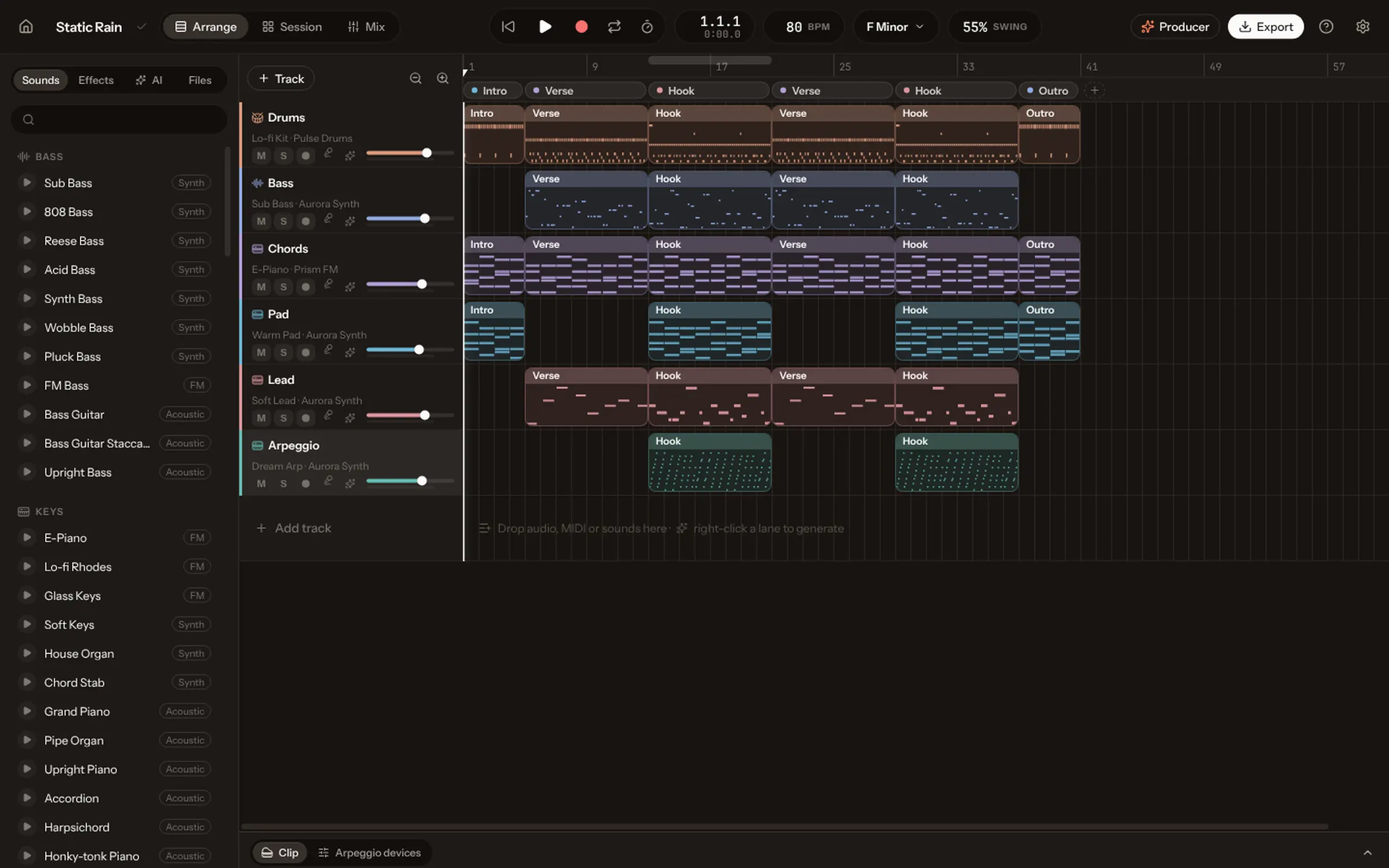
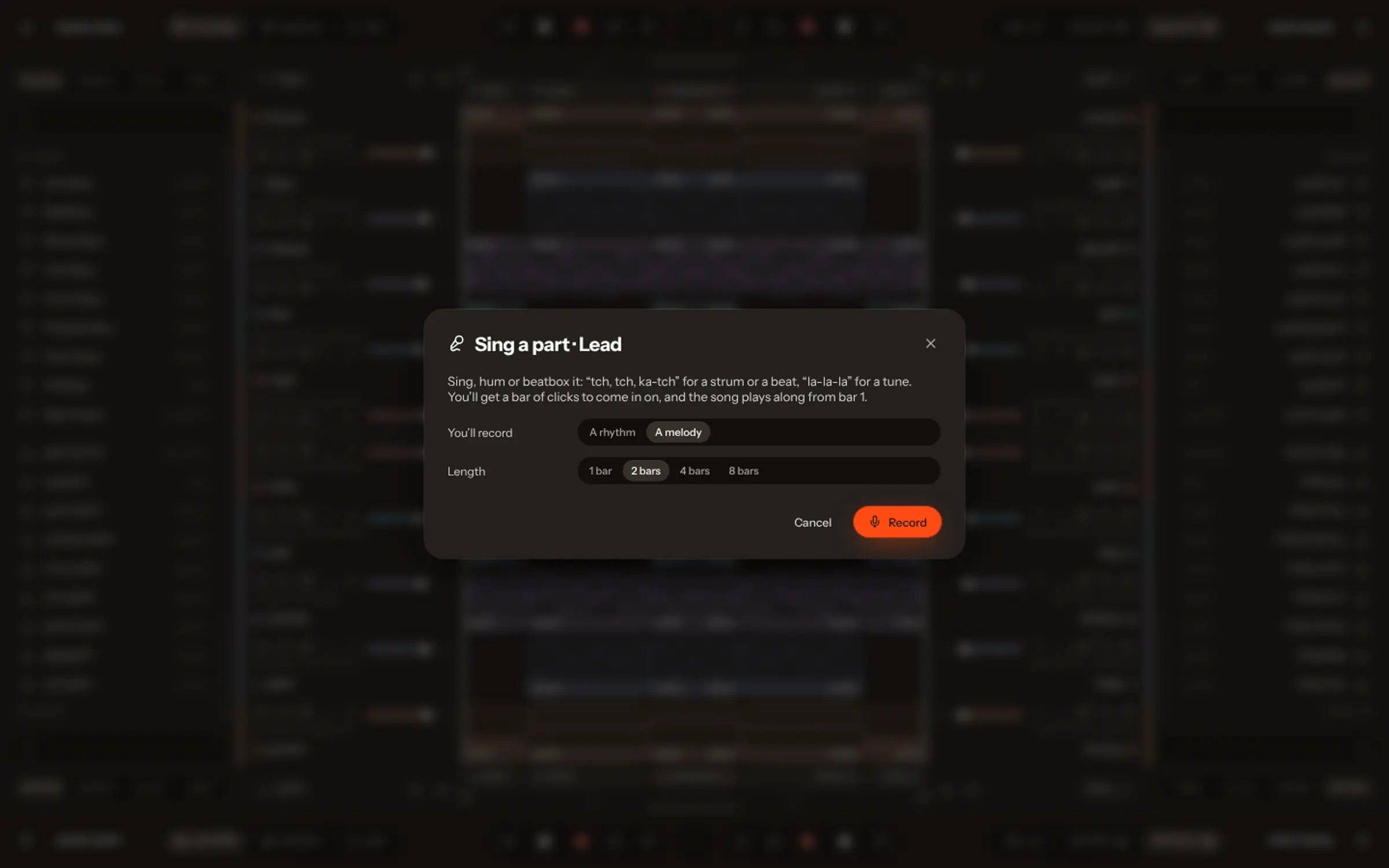
Sing a melody, hum a rhythm or beatbox over your song. Koprod turns your voice into a part that fits, on any instrument.
Every sound here came out of the app.
One bar of count-in, then your take.
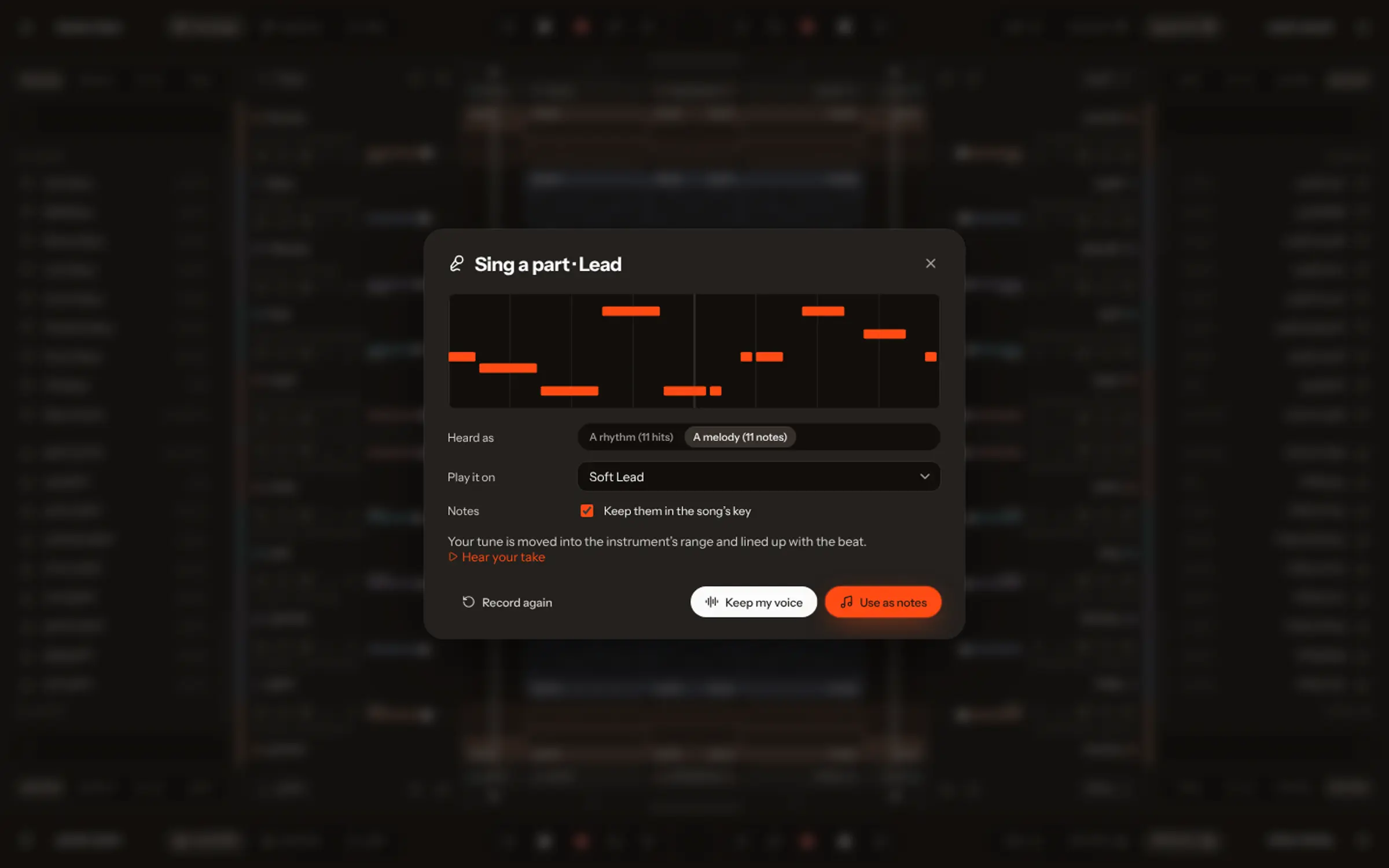
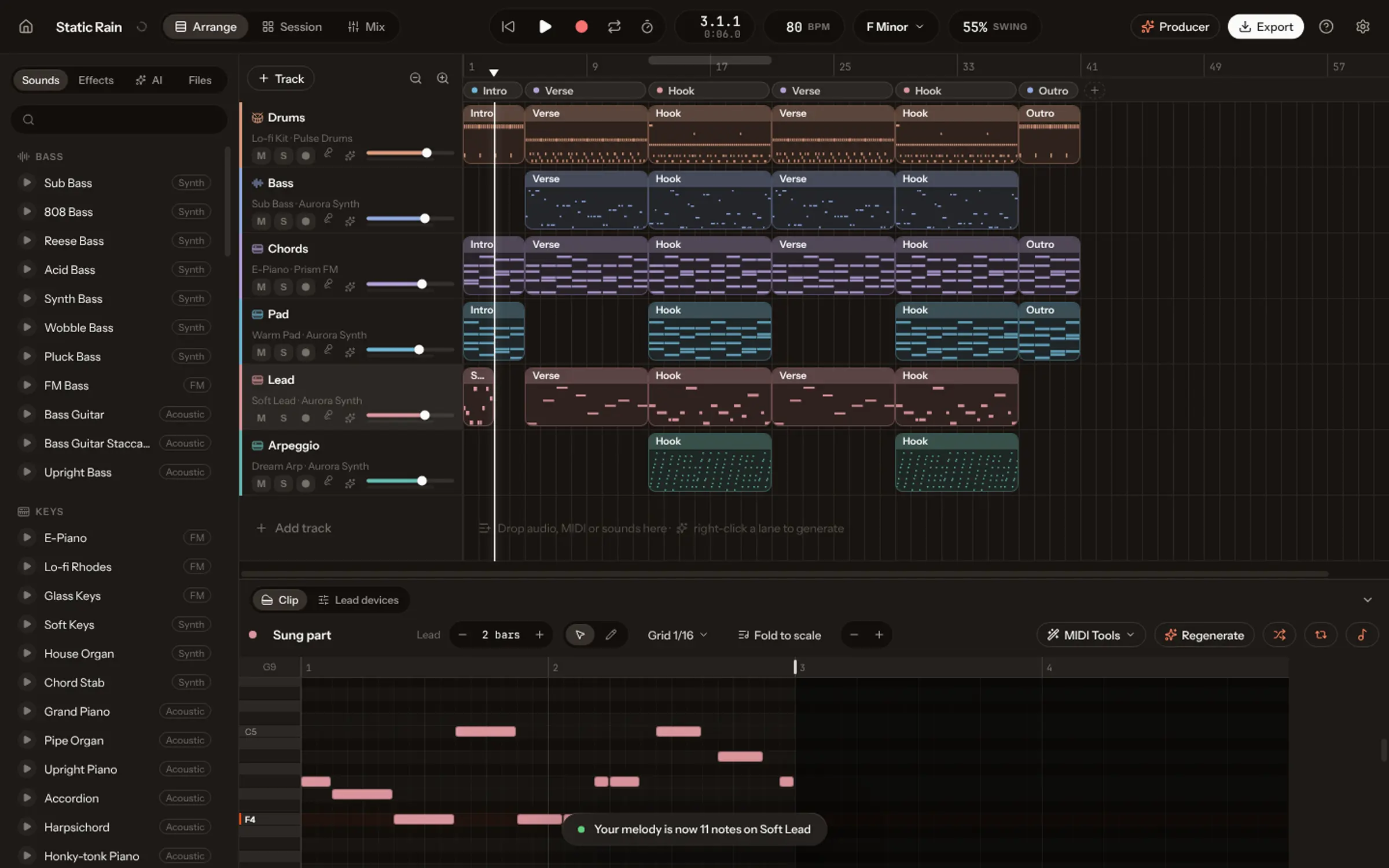
A melody becomes a lead; a rhythm plays the chords or the drums.
In time, in key, and every note editable.
Ask for lyrics and Koprod writes them for your song: its mood, its sections, one syllable for every note.
No vocal line yet? Koprod writes one first, in a singer’s range.
Each syllable sits on its note in the piano roll.
Edit any word in the Lyrics panel and Koprod fits it again.
Koprod doesn’t sing the lyrics: the vocal line plays on a sung “aah”, a guide for you to record over.
Name a style, a tempo, a key, or just a mood. Koprod writes every part in about a minute.
Every track is real notes on real instruments. Drag one and hear the song change.
Drop a clip. Koprod reads each scene and writes music that changes on the cuts.
No. Koprod moves your pitch into the song’s key and your rhythm onto the beat, so a rough hum is enough. You can fix any note afterwards.
A melody becomes a lead on any instrument. A rhythm, like “tch, ka-tch”, becomes drums (kick, snare and hats) or plays the song’s chords.
Yes. Keep the take as audio, and Koprod can clean it up (noise, harsh “s” sounds, tuning) in one step you can undo.
No. It writes them and shows them under the notes; the vocal line plays on a sung “aah” as a guide, and you record the real thing.
The one in your laptop or headphones works. Wear headphones while you sing, so the song doesn’t leak into your take.