MCP server
Claude can produce in Koprod.
Connect Claude Desktop, Claude Code or any MCP app to the Mac app. It composes, arranges, designs sounds, mixes, masters and exports, then renders the song and listens to it to check its own work. Each tool call is one undo step.
Get started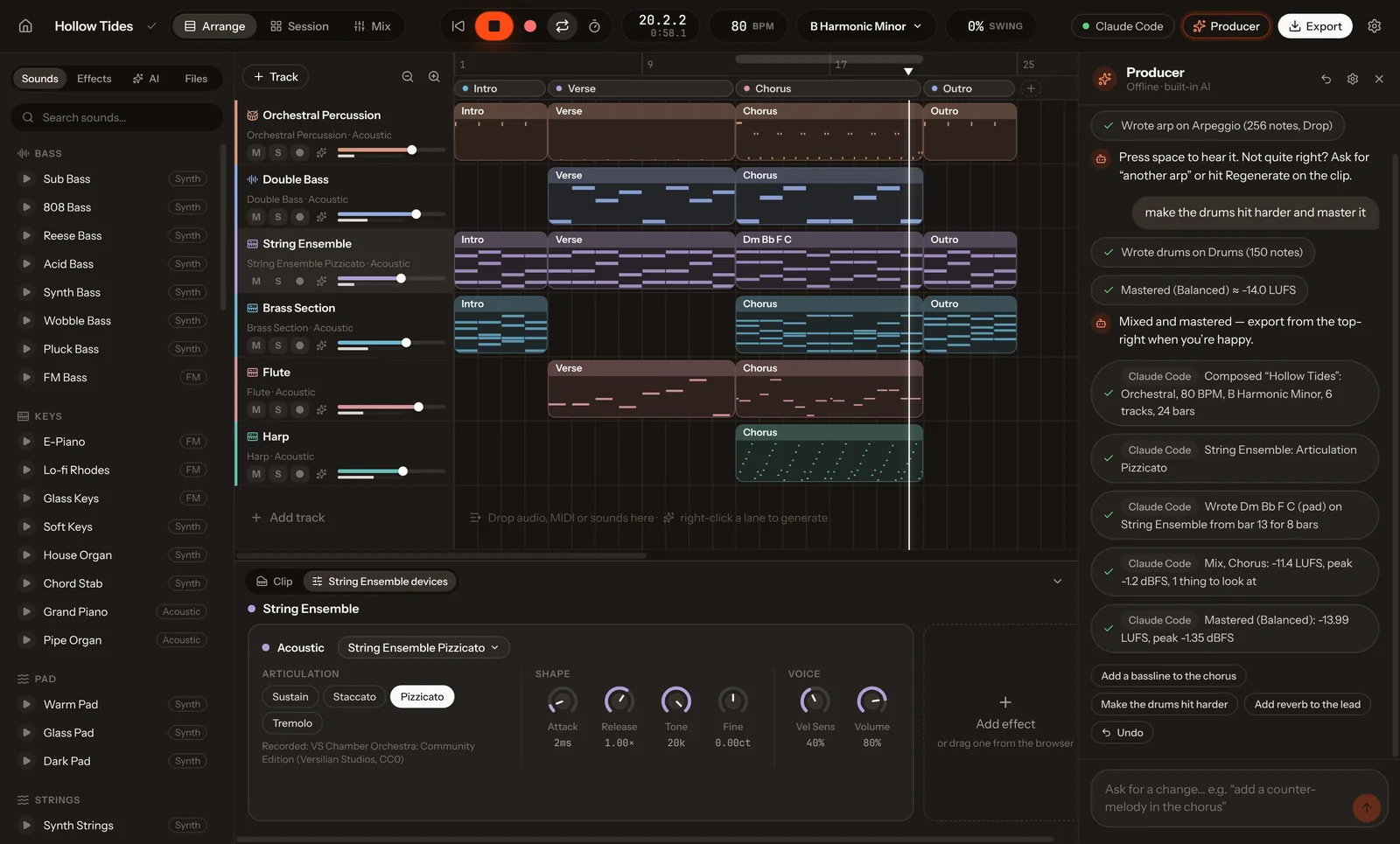
Connected in under a minute.
The launcher runs on Koprod’s own binary, so there is no Python, Node or plug-in to install. If Koprod isn’t running, it starts it, and if you restart Koprod mid-conversation it reconnects on its own.
One click
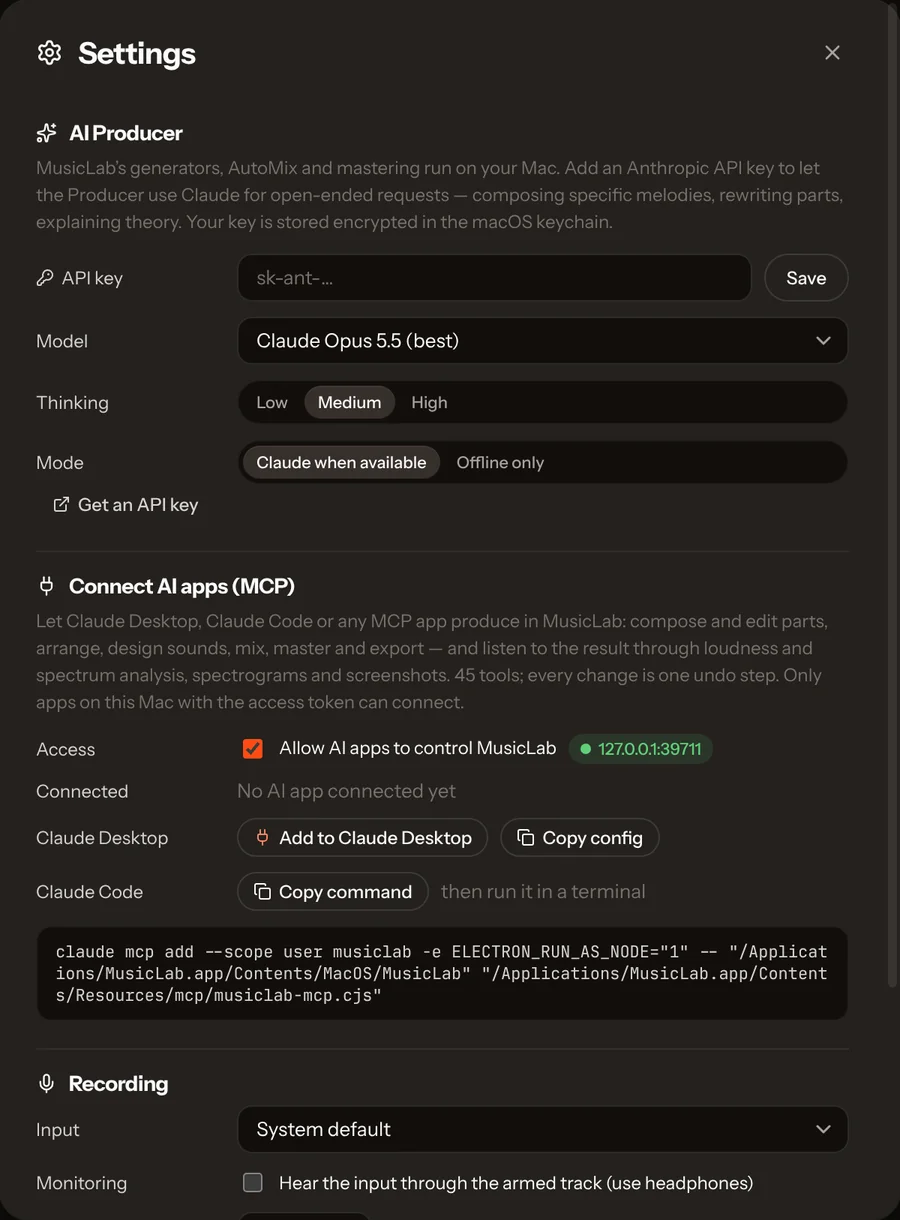
Open Koprod → Settings (⌘,) → Connect AI apps → Add to Claude Desktop, then restart Claude. Your other MCP servers are kept, and the old config is backed up first.
One command
Settings → Copy command, or paste this:
claude mcp add --scope user koprod -e ELECTRON_RUN_AS_NODE=1 -- \
  "/Applications/Koprod.app/Contents/MacOS/Koprod" \
"/Applications/Koprod.app/Contents/Resources/mcp/koprod-mcp.cjs"Stdio or HTTP
Use the same command and arguments with ELECTRON_RUN_AS_NODE=1 (Settings → Copy config gives the JSON). Apps that speak Streamable HTTP can connect to http://127.0.0.1:39711/mcp with the bearer token from Koprod’s mcp.json.
Then just ask.
“Make a moody UK garage track in F minor, write the chorus chords yourself, listen to the mix and fix whatever sounds muddy, then master it and export a WAV to my Desktop.”
Every track on the showcase was made this way.
Everything you can do in the app.
Tools are grouped the way a producer works. Each carries read-only or destructive hints, so MCP apps can ask before risky changes.
Open, create and save songs; set tempo, key, swing and title.
get_projectlist_projectsopen_projectnew_projectsave_projectset_songCompose a whole song from a description, generate any part, write chord progressions from symbols or roman numerals, or regenerate a clip.
create_songgenerate_partwrite_chordsregenerate_clipWrite notes in compact text or drum step grids, read them back, edit them, and apply 31 MIDI tools.
list_clipscreate_clipget_notesedit_notestransform_clipupdate_clipduplicate_clipsplit_clipdelete_clipsAdd tracks, load presets and recorded instruments, set any parameter in natural units, add and tune effects.
add_trackupdate_trackdelete_trackduplicate_tracklist_soundsget_devicesset_instrumentadd_effectupdate_effectremove_effectSet sections, duplicate or delete them with gap closing, launch clips and scenes, and turn scenes into an arrangement.
set_sectionsedit_sectionsessionedit_scenescenes_to_arrangementRender any range and measure it; read the chords back; take screenshots of any view or clip.
analyze_audioanalyze_harmonyscreenshotBalance the mix, master to a loudness target, automate volume and fade, play and record, export WAV, stems or MIDI, import audio and MIDI, and split a recording you own into stems and editable MIDI.
automixmasterautomate_volumetransportget_statusexportimport_filesplit_and_rebuildUndo and redo any number of calls, or run several calls as one atomic step that rolls back if any fails.
historybatchIt can hear what it made.
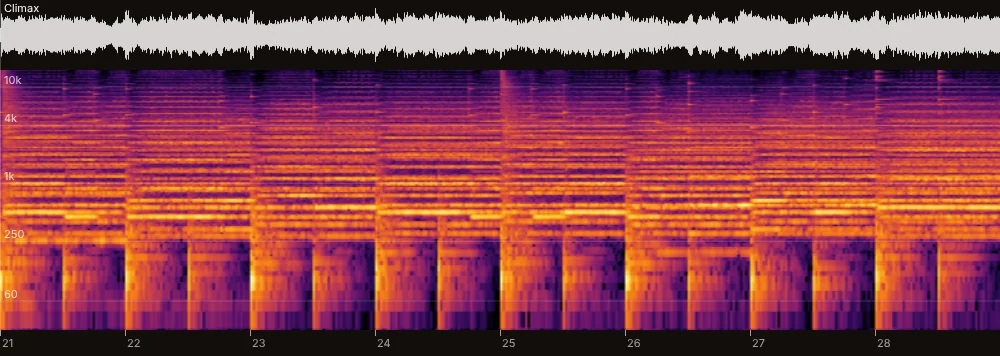
Most DAW integrations let an AI press buttons it can’t hear. analyze_audio renders any range of the song and reports loudness (LUFS), peaks and clipping, dynamics, stereo width, spectral balance, which tracks fill each band, and plain-language findings with suggested fixes. analyze_harmony reads the chords back bar by bar. screenshot shows any view or clip.
{
  "range": { "from": "21.1.1", "to": "29.1.1", "bars": 8, "seconds": 25.6 },
  "loudness_lufs": -8.7,
  "peak_dbfs": -1.2,
  "crest_db": 10.9,
  "clipped_samples": 0,
  "stereo": { "correlation": 0.27, "side_to_mid_db": -2.4 },
  "bands_db": { "sub": -30.4, "bass": -12.7, "low_mid": -6.2, "mid": -2.4, "high_mid": -9.5, "presence": -18.6, "air": -22.8 },
  "findings": [
    { "severity": "warn", "area": "low_mids",
      "text": "Low-mid buildup around 500 Hz (+8.5 dB over the trend): can sound muddy.",
      "suggestion": "Cut 2–4 dB around 300–500 Hz on pads/chords (EQ midGain at midFreq 350) or high-pass non-bass tracks." },
    { "severity": "warn", "area": "high_mids",
      "text": "Forward high-mids around 2 kHz: can sound harsh.",
      "suggestion": "Lower the lead or cut 2–3 dB at 2.5–4 kHz." }
  ],
  "tracks": [
    { "track": "Violins", "loudness_lufs": -22.5, "dominant_band": "mid" },
    { "track": "Strings", "loudness_lufs": -24, "dominant_band": "mid" },
    { "track": "Horn", "loudness_lufs": -25, "dominant_band": "mid" },
    { "track": "Timpani", "loudness_lufs": -31.5, "dominant_band": "bass" }
  ]
}It caught its own mistake.
While writing “Andante for Strings”, Claude placed the double bass clip at bar 9 but wrote its notes as if it started at bar 1. Nothing failed, so a button-pressing integration would never notice. analyze_harmony read the wrong chords back, Claude found the cause and fixed it.
| Call | Arguments | Result |
|---|---|---|
new_project | { "name": "Andante for Strings", "bpm": 72, "key": "G major" } | New song “Andante for Strings” (72 BPM, G Major) |
set_sections | { "sections": [{ "name": "A", "bars": 8 }, { "name": "B", "bars": 8 }, { "name": "A'", "bars": 8 }] } | Structure: A 8 · B 8 · A′ 8 |
batch | { "calls": [ add_track × 5 (Solo Violin, Violin Section, Viola Section, Cello Section, Double Bass Pizzicato), update_track × 5 ] } | Strings: 10/10 calls applied as one undo step |
batch | { "calls": [ create_clip × 5: the solo line, inner voices, cellos, basses ] } | Parts: 5/5 calls applied as one undo step |
analyze_harmony | {} | Bars 17–20 read Em7 · Bm · Cmaj7 · C, but the score says G · D/F# · Em · C |
… | The double bass clip starts at bar 9, but its notes were written from bar 1: they play 8 bars late. Rewrite it. | |
analyze_harmony | {} | 0 notes outside G major; bars 17–20 now read G · F#m7b5 (the D/F# with its passing E) · Em · C |
master · export | { "style": "balanced" } · { "kind": "mix" } | Mastered (Balanced): −14 LUFS · exported 89 s WAV |
It speaks musician.
Inputs use the words producers use, and mistakes come back as errors that say what exists and how to fix the call, so the model corrects itself in one step.
| Pitches | "Eb4", "C#5", 60, and drum names like "kick", "open hat" or "timpani 3" |
|---|---|
| Song positions | 9, "9.3.1", "Chorus 2", "last verse", "Chorus end", "playhead" |
| Lengths | "1/8.", "1/16t", "2 bars", "6 beats" |
| Chords | "Am7 Fmaj7 C G/B", "Dm9:2 G13:2", "i-VI-III-VII", "| % |", "x2" |
| Notes | "C4@0:1/4 E4@1:1/4:110" (pitch@start:length:velocity) |
| Drum grids | {"kick": "x...x...x...x...", "snare": "....X.......X..."} |
| Parameter values | "1.2k", "-6 dB", "120 ms", "40%", "Saw", "Pizzicato" |
Workflows built in.
Six prompts give Claude a production workflow to follow. Resources expose the live song (with change notifications), catalogs of sounds, effects, MIDI tools and genres, a usage guide, and per-track and per-clip views.
produce_songFrom a one-line idea to a mixed and mastered song, listening and iterating along the way.
mix_reviewListen to the mix, explain the three biggest problems with numbers, and fix them one at a time.
arrange_songTurn a loop or Session scenes into a full arrangement with build-ups and drops.
write_partCompose one specific part by hand that fits what is already there.
orchestrateWrite for orchestra with the recorded instruments, keeping each in its real range.
remixReimagine the song in another genre while keeping its chords and hook.
Safe by design
The server listens on 127.0.0.1 only and requires a random token stored in Koprod’s data folder, readable only by you. Requests from web pages are refused, and file import and export are limited to your home folder. Every call is one undo step, and batch rolls back completely if any call in it fails. You can turn the server off in Settings.
Compared with ableton-mcp
ableton-mcp connects Claude to Ableton Live through a Remote Script and Python. It can’t render or analyse audio, and it needs Live. Koprod’s server is built in and lets the AI listen.
Full comparison